
Patch DNA
OverviewFeaturesSoundsDemoPricingFAQ
LoginBuy Now
Back to Patch DNA

Version 1 setup

Install Patch DNA on macOS

Patch DNA 1.0 is distributed without Apple notarization. Follow these steps to verify and approve the installer manually.

Apple Silicon and Intel · macOS 13 or newer

1. Download from your account

Sign in, open Downloads, and download the macOS universal package. Do not install a package obtained from another source.

2. Verify SHA-256

Run this command in Terminal from the download folder:

shasum -a 256 Patch_DNA_1.0.0_macOS.pkg

Compare the result with the checksum shown in your account. Every character must match.

3. Approve the installer

  1. Control-click the package and choose Open.
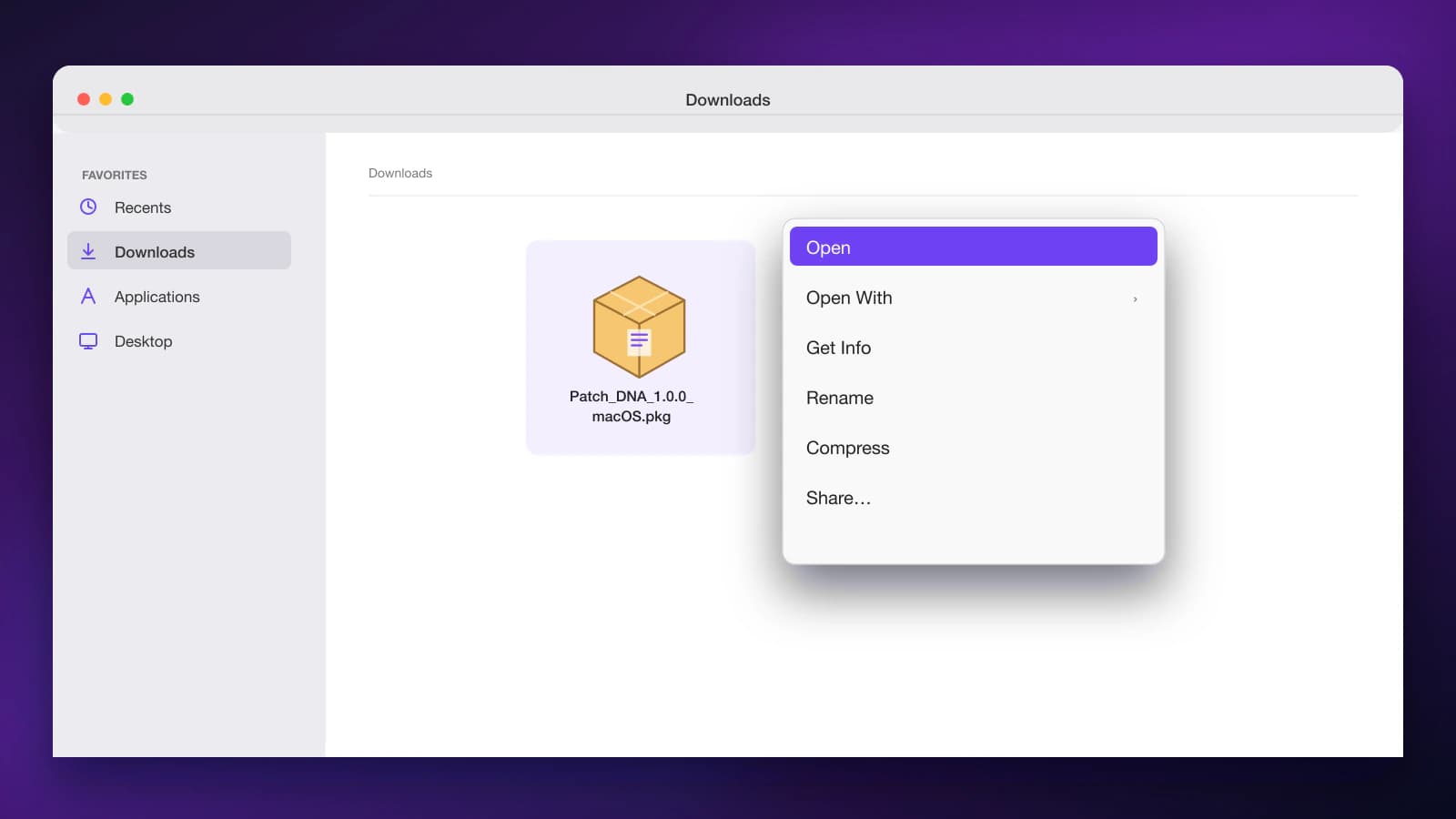
    Finder context menu for the Patch DNA macOS package with Open selected
    In Downloads, Control-click the Patch DNA package and choose Open.
  2. If macOS blocks it, open System Settings > Privacy & Security.
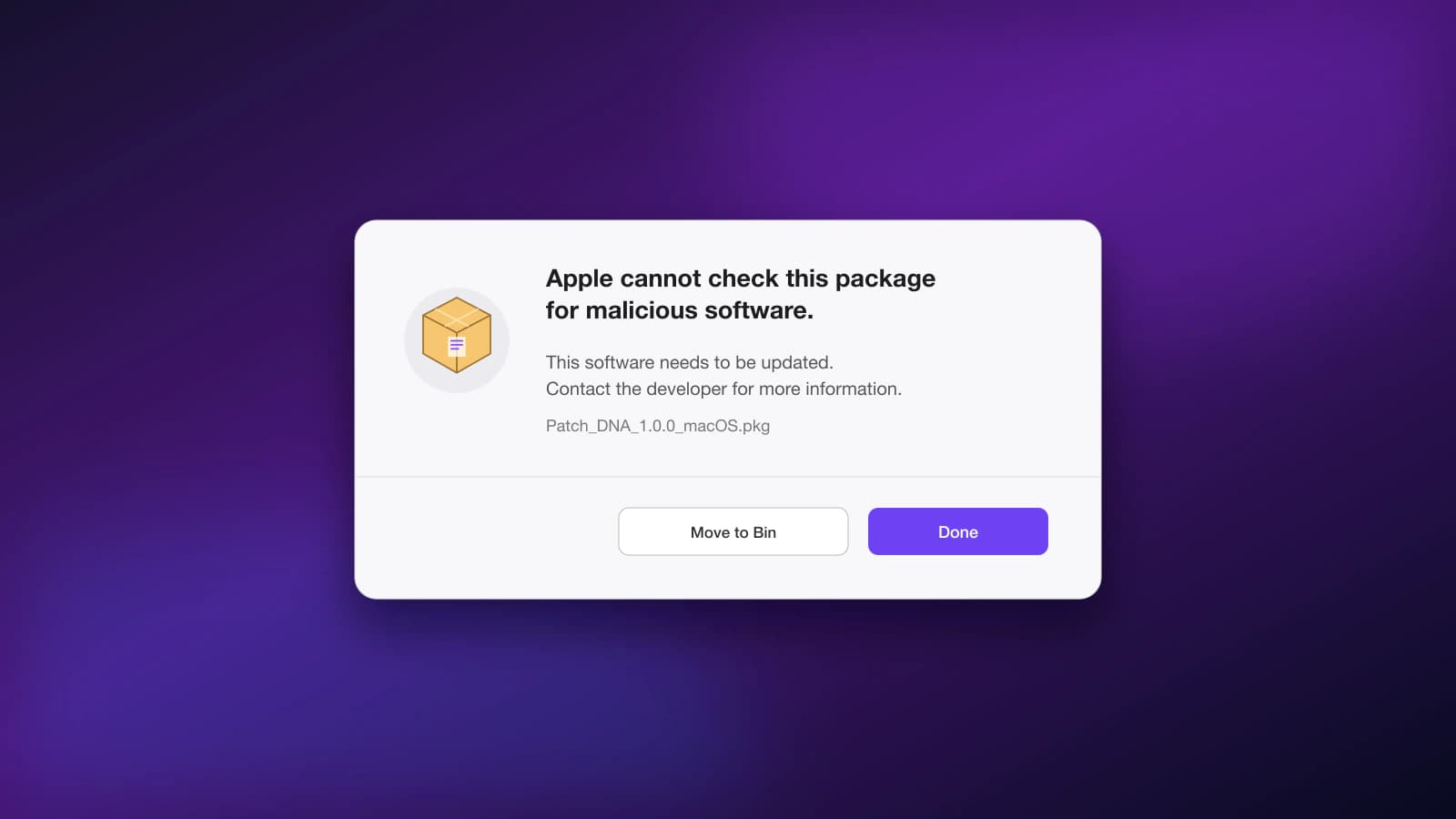
    macOS Gatekeeper warning shown for the Patch DNA installer package
    This warning is expected for the current non-notarized installer.
  3. Find the Patch DNA notice and click Open Anyway.
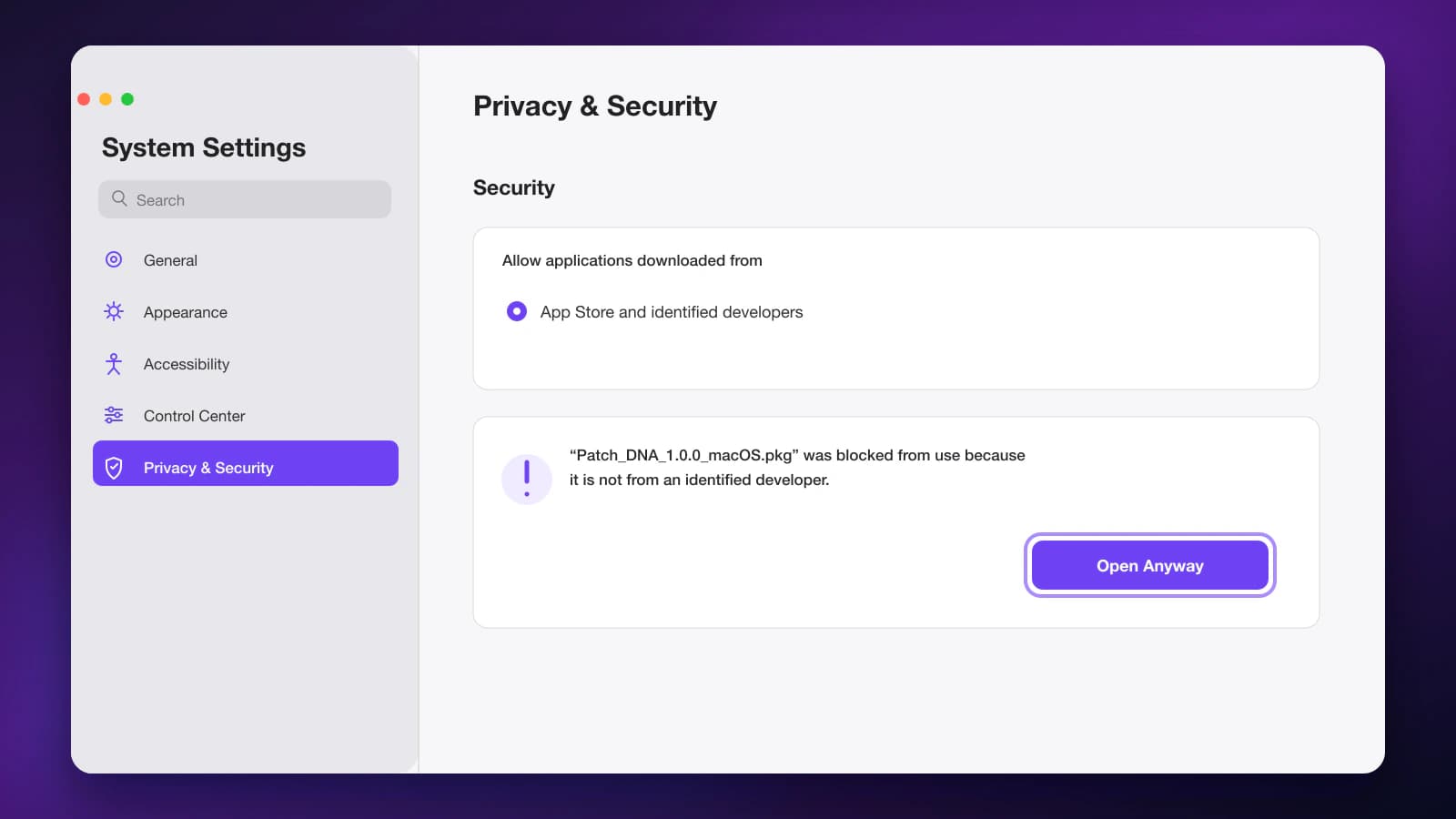
    macOS Privacy and Security settings with the Open Anyway button highlighted
    Scroll to Security and approve the Patch DNA package with Open Anyway.
  4. Return to the installer and complete the installation.

4. Open and activate

Patch DNA installs VST3, Audio Unit, and a standalone app. Serum 2 must be installed separately. Rescan plug-ins in your DAW, open Patch DNA, and activate it with the license key from your account.

Release integrityProtected formula engineAccount-only download
Open Downloads
Patch DNA

AI Bass Preset Machine for Serum 2.

Product

OverviewFeaturesSoundsDemo

Legal

TermsRefundsPrivacyCookies

Account & Support

LoginDownloadsFAQContactInstall on macOSInstall on WindowsSystem requirements
Digital product seller: Individual Entrepreneur Igor Grigoryevich MolkaINN 772377040614OGRNIP 321774600446241support@patchdna.ai

macOS and the Apple logo are trademarks of Apple Inc. Windows and the Windows logo are trademarks of Microsoft Corporation. Serum and Serum 2 are trademarks of Xfer Records. Ableton Live, FL Studio, Logic Pro, Cubase, Studio One, Bitwig Studio and REAPER, together with their names and logos, are trademarks of their respective owners.

All product names, logos, brands and trademarks are property of their respective owners. Their use is for compatibility identification only. Patch DNA is not affiliated with, endorsed by, or sponsored by those companies.

© 2026 Patch DNA. All rights reserved.